What is metadata, and what does your photo actually tell people?
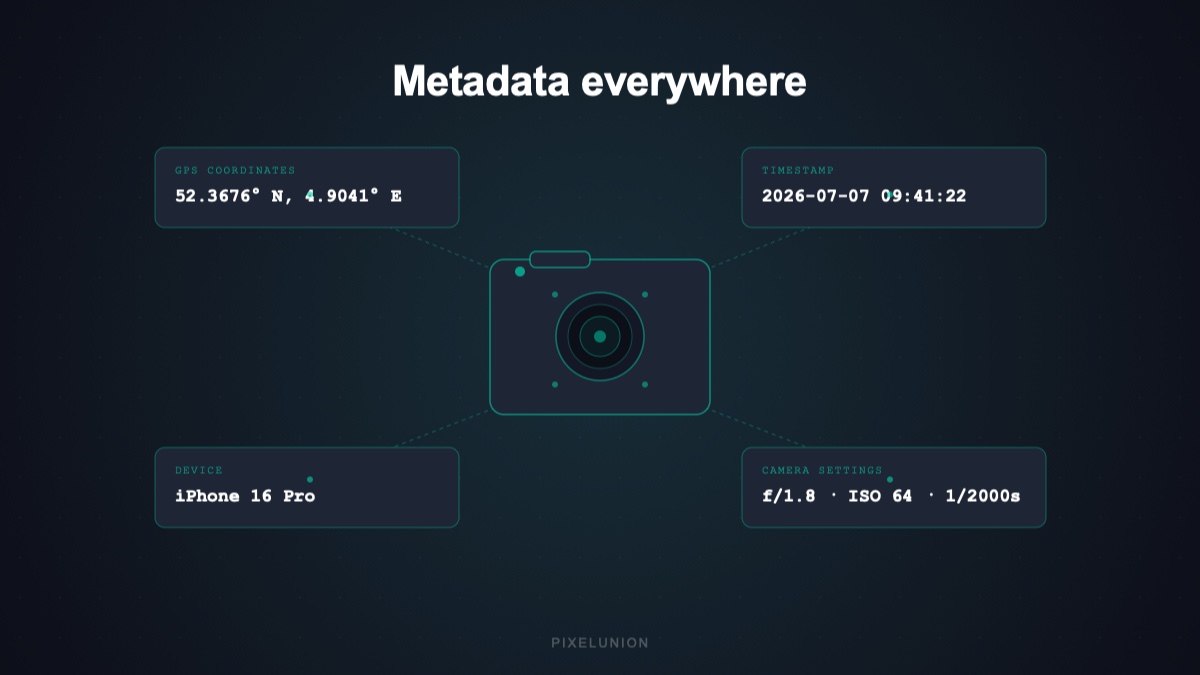
Here is something that surprised me when I first looked into it properly. You take a photo on your phone. You turn off location access in Instagram before posting it. You think you covered your tracks.
But the photo file already has your GPS coordinates embedded in it. Right there, in the file. Instagram reads them from the file before it ever asks about location permissions.
That is metadata. And it is worth understanding.
If you have never dug into this, this one is for you.
What is metadata?
Metadata is data about data. In the context of photos, it is all the information your camera or phone automatically adds to a photo file when you take the shot.
The photo itself — the pixels, the colors, the image — is the data. Metadata is everything else the file carries alongside it.
Most photo files use a standard called EXIF, which stands for Exchangeable Image File Format. It was developed in the 1990s for digital cameras and is now embedded in virtually every photo taken on a smartphone.
What is actually in there?
More than most people expect.
Location. If your phone has GPS access when you take the photo, the latitude and longitude are stored in the file. This is precise enough to identify your home address, your workplace, a specific room in a building. A series of photos tells a detailed story about where you go and when.
Date and time. The exact timestamp is stored, including the time zone. Not just the day — down to the second.
Device information. The make and model of the camera or phone, the software version, and sometimes a unique device identifier.
Camera settings. Aperture, shutter speed, ISO, focal length, white balance. Useful for photographers, but part of the fingerprint a file carries.
Orientation. How the phone was held when the photo was taken.
Editing history. Some apps write to the EXIF data when you edit a photo, logging which software was used and when.
That is a lot of information for something most people just think of as a picture.
Who can read this?
Anyone who has the file.
When you send a photo in a WhatsApp message, the recipient can open the file properties and see your GPS coordinates, your device model, and the exact timestamp. This is not a hack or a special trick — it is just opening a file and reading what is there.
When you upload a photo to Google Photos, Facebook, Instagram, or iCloud, those platforms read the EXIF data before doing anything else with the image. That is how Google Photos knows where the photo was taken without you telling it. That is how Instagram knew your location even when you said no in the app.
Some platforms strip EXIF data before serving photos publicly. Twitter does, and so does Signal. Others keep it. Most terms of service give platforms broad rights to use any data associated with your uploads.
Does this affect your privacy?
Yes, in ways that are easy to underestimate.
A single photo tells you where someone was at a specific moment. A library of photos tells you where they live, work, travel, who they spend time with, and what their daily routine looks like. That information has real value for advertisers. It also has real implications for personal safety in some situations.
The face recognition piece adds another layer. When you upload photos that include faces, platforms like Google and Meta use those to build or extend recognition models. Your face, and the faces of the people in your photos, become part of a dataset. You consented to this somewhere in a terms of service document. Most people did not read it.
What can you do about it?
A few practical options.
Strip EXIF before sharing. There are apps that remove metadata from photos before you send them. On iPhone, sharing via the default Photos app gives you the option to remove location data. On Android, this varies by manufacturer.
Turn off location access for your camera app. This prevents GPS coordinates from being added in the first place. Your photos will still have timestamps and device info, but not location.
Be thoughtful about what you upload where. Sharing a photo on a messaging app is different from uploading it to a platform with an advertising model. The file goes to different people and systems.
What does PixelUnion do with your metadata?
We store it because it is useful to you. Metadata is why you can search your library by date, location, or device. It is how timeline views and maps work. It is yours, not ours.
We do not use your metadata to build advertising profiles. There are no ads on PixelUnion. Your GPS coordinates are not being cross-referenced with marketing databases. The data stays attached to your photos and serves you.
Face recognition on PixelUnion runs on our infrastructure and is not shared with third parties. We do not use your photos or the metadata associated with them to train AI models.
If you want the specifics on how European privacy law frames all of this, the GDPR article covers the rights you have and what they actually mean in practice.
Thinking about where your photos end up more broadly? Our colleague has put together a practical guide on switching away from Big Tech entirely, with concrete alternatives for every service. And before you share a photo with anyone else, the follow-up on removing location data before sharing shows how to strip the GPS coordinates on every platform.