immich-archiver: mirroring your photo library to your own disk
PixelUnion keeps your photos on European servers with redundancy and monitoring. That is our job, and we take it seriously.
The standard advice for data you care about is the 3-2-1 rule: three copies, on two different storage types, with one copy off-site. Our end of that is handled. We protect against disasters, not only against a disk dying, and that is something you can rely on. What we cannot be is a copy that sits in your own house, on hardware you own, readable without an account and without us. Plenty of people want that too, and it is a reasonable thing to want.
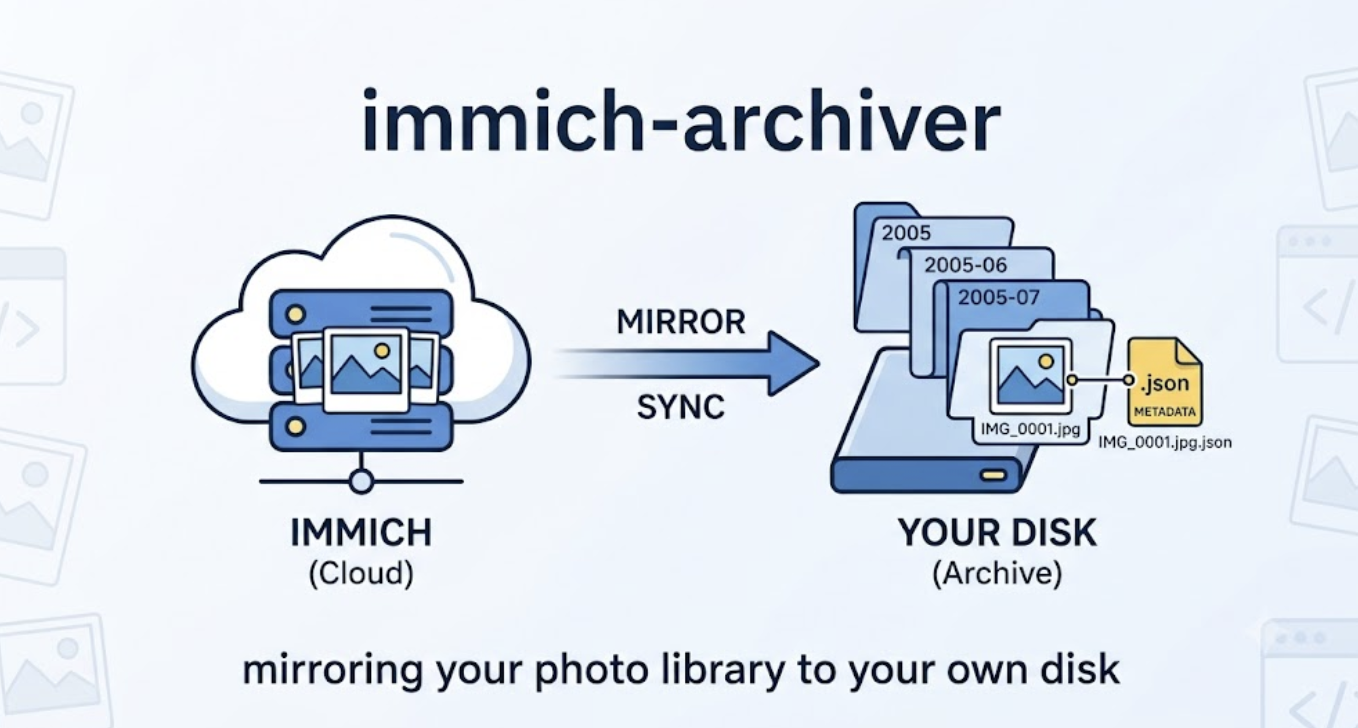
So we built immich-archiver, an open-source tool that mirrors an Immich library to a folder on a drive you own.
What it does
You give it a server URL and a user API key (an application programming interface key, which you generate from your account settings), and a destination directory. It downloads every photo and video in your timeline into folders by year and month.
| |
The result on disk:
/path/to/archive/2005/2005-06/IMG_0001.jpg
/path/to/archive/2005/2005-06/IMG_0001.jpg.json
Every asset gets a sidecar file next to it in JSON (JavaScript Object Notation, a plain-text data format any tool can read) containing the complete metadata record the server holds for that file: capture date, camera make and model, GPS coordinates, album membership, faces, ratings. We store the raw API response verbatim rather than a curated subset, because the moment you decide which fields matter, you are guessing about a future you cannot see. The approach is borrowed from immich-go, which has been doing this well for years.
Update, 6 August 2026: the paragraph above was wrong on two counts when we published it, and a reader caught it. Capture date, camera make and model, GPS coordinates, faces and ratings were missing from the sidecar, because the tool never asked Immich’s API to include them — those fields are optional in the response, and we did not request them. That is fixed and ships in the next release; existing archives can be repaired in place with
--refresh-sidecars, which rewrites the sidecars without re-downloading a single photo. Album membership is a different matter: Immich’s asset API does not return it at all, so it was never in the sidecar and cannot be fixed by asking better. We should not have listed it here.
Run it again later and it downloads only what is missing. There is no state database. It checks the filesystem, and it uses the sidecar to confirm that a file with a matching name is actually the same asset rather than an unrelated photo that happens to share a filename.
That design has a real cost, and it is worth naming. Because there is no index, every run stats each destination file, which is slower on very large libraries over a network filesystem than reading a local database would be. Rename a downloaded file and the tool will fetch it again, because it can no longer recognize it. What you get in exchange is that the folder is the source of truth. There is no separate index to corrupt, drift out of sync, or explain to you when it disagrees with reality.
A few other details worth knowing. Downloads are written to a temporary .part file and renamed into place only after the transfer completes, so an interrupted run never leaves a truncated file that a later run would mistake for a finished one. Live Photos come down as both components, the still and the motion clip, sharing a base filename. Albums shared with you are excluded by default and land in a separate folder if you pass --include-shared. Concurrency and retry counts are configurable, with defaults of four parallel downloads and three retries on network or server errors.
Why it exists, and what it is not
The question behind this tool is one we get regularly: if PixelUnion went away, what happens to my photos? The honest answer used to be “export them,” which is not an answer when the export path is downloading ten thousand files through a browser, one album at a time. A backup that depends on you remembering to perform a tedious manual task is not a backup. It is a task you will skip.
This is a command-line interface tool, usually shortened to CLI. You need a terminal, an API key, and enough comfort with both to put it in a cron job or a scheduled task. That excludes a lot of people, and we are not going to pretend otherwise.
Where we want to end up is a download button inside PixelUnion. You click it, we prepare an archive, you get a link, everything arrives in one file. Closer to what Google Takeout does, without the part where it takes a week and arrives incomplete. That is a significantly larger piece of work, it is on the roadmap, and it is not shipping this month.
So we made a tradeoff, and it is the obvious one: ship the tool that works now for the people who can use it, rather than have nobody covered while the friendlier version gets built. immich-archiver is the step in between. If you are comfortable in a terminal, you do not have to wait.
Where to find it
The repository is at github.com/pixelunioneu/immich-archiver, licensed under the AGPL-3.0 (the GNU Affero General Public License, version 3). Each release ships prebuilt binaries for Linux, Windows, and macOS, on both x86-64 and ARM64, so Apple Silicon Macs get a native build rather than a translated one.
The macOS binaries are signed with a Developer ID certificate and notarized with Apple, which means Gatekeeper lets them run without the “unidentified developer” warning. This matters more than it sounds: the usual workaround for unsigned tools is telling users to strip the quarantine flag from a downloaded binary, which trains people to bypass exactly the check that protects them. The latest release is always the one to grab.
This is a first release. The core is solid and tested, but it has not yet met the variety of libraries that real users have, and that is where tools like this usually break. Issues and pull requests are welcome, particularly the ones that start with “this did something strange with my…”
One closing thought, since it applies well beyond this tool. A backup you have never restored from is not a backup, it is a hypothesis. Run it once, open the folder, confirm a photo actually opens. Then schedule it and stop thinking about it.